Welcome to this Open Pro getting-started tutorial.
Creating and Setting Up Your Account
After logging into your account, start by entering your personal information. Some fields are required, particularly your email address, which will be used to automatically send booking notifications to your guests.
Next, enter information about your property : description, amenities, services, photos, and features. This information will help showcase your property to online users.
Creating Your Accommodations
You can then create your accommodation(s) by specifying their type, capacity, rating, and description.
You can also add photos, translations, and select the features that will appear as icons on your booking page.
Exploring the Main Menus
With Open Pro, you can :
manage your contact information and login settings ;
view your dashboard ;
create and edit your rates ;
manage your reservations ;
view check-ins and check-outs ;
manage your accommodations ;
create add-ons and promotional codes ;
integrate a booking engine into your website.
Online Reservation Settings
This tool allows you to configure :
payment methods ;
deposits ;
reservation deadlines ;
terms and conditions of sale ;
contracts sent to customers ;
automatic confirmation emails.
These settings can be customized to suit your needs.
Rate and Availability Management
Open Pro lets you create different rate periods based on :
seasons ;
number of guests ;
package options ;
age groups.
You can also manage availability, inventory, promotions, and discounts.
Surcharge and Promotional Code Management
The tool allows you to create mandatory or optional surcharges, such as booking fees, cleaning fees, or equipment rental fees.
You can also set up single-use or multi-use promotional codes to build customer loyalty or support specific sales campaigns.
Publishing and Promoting Your Listing
Before publishing your listing, we recommend that you verify your information, test the booking process, and contact your account manager to confirm your account activation.
Once your account is activated, you can integrate a booking engine into your website to allow visitors to book directly online.
Reservation Management
Open Pro also allows you to record reservations made by phone, track customer files, manage payments, and send reservation documents via email.
Mobile Use
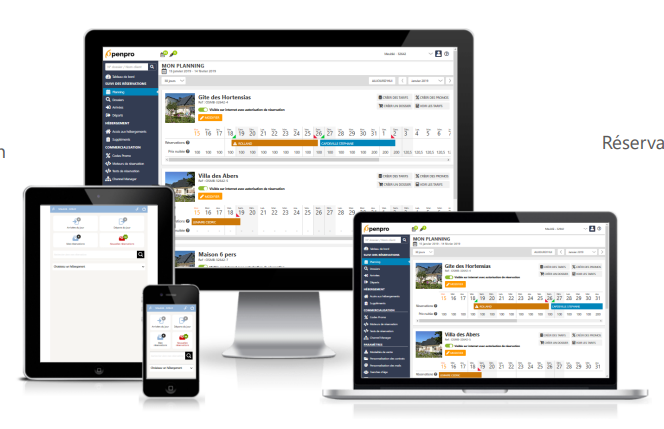
The tool is accessible from a smartphone or tablet. A web app is also available to access key features and manage your business on the go.
If you have any further questions, please contact your Open Pro representative.